QR codes are everywhere now — restaurant tables, parking meters, posters, emails, even product packaging. They make life easier, but that same convenience has created a security blind spot most people don’t think twice about.
What is a QR code?
A QR code is essentially a souped-up barcode. A standard 1D barcode stores data along a single line — usually a short string of numbers. A QR code stores data in a two-dimensional grid, which lets it hold thousands of characters instead of a dozen.
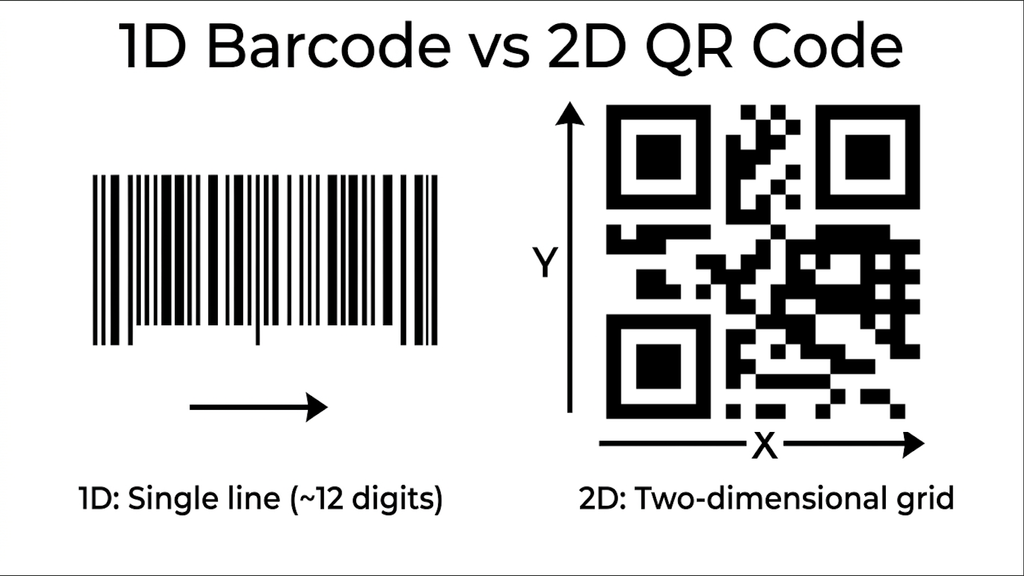
The most common use is encoding a web address: point your camera at the grid, and your phone decodes it and offers to open the link. That’s also exactly what makes QR codes useful to attackers — people trust the scan-and-go experience and rarely scrutinise what they’re about to open.
Key risks to watch for
Physical tampering (sticker overlays). Someone prints a malicious QR code on a sticker and places it directly over a legitimate one — on a parking kiosk, a flyer, or a restaurant table tent. Scanning it sends you to a cloned site built to capture login credentials or payment details, often while still showing the restaurant’s real logo and menu so nothing looks obviously wrong.
Obscured destinations. Because the raw URL encoded in a QR code is often long, codes frequently point through a shortener or a redirect service. That’s normal — but it also means your phone’s preview may only show a shortened link (bit.ly/xyz123) instead of the actual destination. Attackers exploit this ambiguity deliberately, since a shortened link gives you nothing to visually verify before you tap it. (Legitimate businesses use dynamic QR codes too, for things like updating a menu URL without reprinting the code — the risk isn’t the dynamic link itself, it’s that you can’t tell a legitimate one from a malicious one just by looking.)
“Quishing” via email and print. The same social-engineering tactics used in phishing emails now show up as QR codes embedded in emails, flyers, or fake delivery notices — bypassing email security tools that scan for malicious links in text, since the URL is hidden inside an image.
How to protect yourself
- Check for physical tampering. Before scanning a QR code in public — parking meters are a favorite target — look and feel for a sticker that’s been placed over the original.
- Read the full URL before tapping. Most phone camera apps show a preview of the destination. Check that it matches the organisation you expect, not just that something loaded.
- Don’t enter sensitive info on a page you reached by scanning. If a QR code leads to a login or payment page, consider navigating to the organization’s site directly instead, especially for anything involving money.
- Keep 2FA enabled everywhere. If credentials do get phished, a second factor is often the difference between a close call and an actual account takeover.
- Treat QR codes in emails and texts like any other unsolicited link. If you weren’t expecting it, don’t scan it — verify through another channel first.
Stay safe